Tag: nonprofits

  • NotebookLM 2026: The AI Research Tool Mission-Driven Teams Need


    NotebookLM Is the Quiet AI Tool Your Team Has Been Waiting For

    Google’s grounded-AI research tool just got Cinematic Video Overviews, ten new infographic styles, and AI-generated slide decks — and it still cites every answer back to your own documents.


    § Tool Time

    NotebookLM: Google’s AI Research Partner, Now Significantly Upgraded

    NotebookLM is Google’s AI-powered research and synthesis tool, and it just got a significant upgrade. In its April 2026 update, Google rolled out Cinematic Video Overviews, ten new infographic styles (from Sketch Note to Editorial to Scientific), AI-generated slide decks with revision controls, and expanded capabilities for Education Plus users — all on top of its already-strong Audio Overview and Chat features.

    Here’s what makes it different from ChatGPT or Claude: you feed NotebookLM your sources — PDFs, Google Docs, websites, YouTube videos, audio recordings (up to 50 on the free tier) — and it becomes an expert only on your material. Every answer cites back to the documents you uploaded. Ask it a question about a 200-page report, and it tells you exactly which pages it pulled the answer from. For mission-driven teams drowning in grant reports, policy documents, program evaluations, and board materials, this is a genuine superpower.


    § Who It’s For

    Three Audiences, Three Use Cases

    Nonprofits

    Upload your last three grant reports and ask NotebookLM to find the themes funders responded to. Drop in a 120-page program evaluation and generate an audio summary your board can listen to on a drive. Pull together all your policies, procedures, and training docs in one notebook and turn onboarding from a scramble into a self-serve experience.

    Small Businesses

    Feed it customer feedback, competitor websites, and industry reports, and ask it to identify patterns you missed. Upload your SOPs and generate an internal training video. Turn compliance documents into an FAQ your team can actually read.

    Schools & Educators

    Upload lesson materials and let NotebookLM generate study guides, flashcards, and quizzes. Create student-friendly infographics from dense research papers. Teachers can build a notebook per unit that students can query when they’re stuck — grounded only in approved course material, not the open internet.


    § How To Get Started

    Up and Running in Under 30 Minutes

    1. Go to notebooklm.google.com and sign in with a Google account. The free tier is plenty to start. If you have Google Workspace for Nonprofits, you may already have enhanced access at no cost.
    2. Create a new notebook and name it for the project (e.g., “2026 Donor Strategy” or “Fall Curriculum Review”).
    3. Upload your sources — PDFs, Google Docs, websites, YouTube links, or audio files. The free tier allows up to 50 sources per notebook.
    4. Start with a briefing document. Click “Generate” and choose “Briefing Doc” to get an orientation summary.
    5. Try an Audio Overview or new Cinematic Video Overview. Great for turning dense material into something you can share with a board, a team, or a parent community.
    6. Use Chat to interrogate the material. Ask specific questions. “What are the top three concerns our last 20 donors raised?” “Summarize the enrollment trends in this report.” Every answer will cite its sources.
    7. Export what you need. Save briefing docs, audio files, slide decks, or infographics. Share with your team.

    Cousin’s Take — Honest Assessment

    Let me be real with you. NotebookLM is one of the most underrated AI tools in the ecosystem right now, and it’s especially valuable for mission-driven orgs.

    Most AI tools have one big weakness — they’re confident about everything, even when they’re wrong. NotebookLM solves that by refusing to answer from general knowledge. Everything it says is tied back to the specific documents you gave it. That’s huge for nonprofits, schools, and regulated small businesses where “the AI made something up” is a real risk you can’t afford.

    Now the catch. The free tier has daily limits on audio/video generation, and like any AI, it can still miss nuance in emotionally complex or technically dense material — so always review before you publish or present. It’s also not a replacement for your own analysis on high-stakes decisions. Think of NotebookLM as your fastest, most thorough research assistant — not your decision-maker.

    If your team is drowning in reports and you have an hour this week to set up one notebook, this is the tool I’d start with.


    Ready to Evaluate AI Tools For Your Organization?

    Download The Mission-Driven Org AI Audit — a free guide to assessment, implementation, and measuring impact. Get it here.


    Curated by Warren Wiggins · Created by Cousin Claude · Cousin’s AI Circulation, April 2026 · Astute Intelligence — Do More of What Matters.
  • Ten Foundations Just Put $500M Behind People-Centered AI


    Ten Foundations Just Put $500 Million Behind People-Centered AI

    A half-billion-dollar coalition reshapes the AI funding landscape, two major studies disagree about job losses, and a Khan–TED–ETS college signals that AI literacy is the curriculum now.


    § The Big Story

    Ten Major Foundations Commit $500 Million to People-Centered AI

    Ten of the most recognized names in American philanthropy — the Doris Duke, Ford, Lumina, Kapor, MacArthur, Mellon, Mozilla, Packard, and Siegel Family foundations along with Omidyar Network — have launched Humanity AI, a five-year, $500 million commitment to shape AI so that people — not just AI companies — have a stake in the future. Co-chaired by Omidyar Network and MacArthur, the initiative concentrates funding across five priority areas: democracy, education, humanities and culture, labor and economy, and security.

    Rockefeller Philanthropy Advisors will manage a pooled fund, with grants beginning in 2026. Partners are also aligning their existing grantmaking portfolios to the initiative’s focus areas — meaning this isn’t a one-time pool but a sustained, coordinated shift in how some of the sector’s largest funders prioritize AI work.

    The framing is notable: the funders explicitly position this as civil society reclaiming a seat at the table on AI’s trajectory, rather than leaving the conversation to the companies building the models.

    Cousin’s Take

    If you run a nonprofit, school, or community-serving organization, read this twice. New grant pipelines are opening specifically for work that helps communities use and govern AI well — and the funders steering these dollars are signaling where strategic priorities are headed for the next five years. Whether or not you apply for a Humanity AI grant, the priority areas (democracy, education, labor, culture, security) are a preview of what your biggest funders will ask you about in 2027. Now is the time to get clear on how AI intersects with your mission.


    § Workforce Watch

    Goldman Sachs Says AI Is Erasing 16,000 Net US Jobs a Month. MIT Says Slow Down.

    Two big data points landed this month, and they don’t quite agree. Goldman Sachs reported that AI is wiping out about 25,000 US jobs per month via substitution, while adding roughly 9,000 through augmentation — a net loss of ~16,000 jobs monthly. Gen Z has been hit hardest: entry-level hiring at the top 15 tech companies fell 25% from 2023 to 2024.

    But a new MIT study challenges the “job apocalypse” narrative, arguing AI is moving through the workforce like a “rising tide” rather than a “crashing wave” — broad, gradual change in how work gets done, not sudden sector wipeouts.

    Cousin’s Take

    Both things can be true. Entry-level knowledge work is under pressure right now, especially in tech, while the broader workforce is being restructured more slowly. For mission-driven orgs: don’t panic, but don’t wait either. The practical question isn’t “will AI take our jobs?” It’s “which tasks should AI handle so our people can spend time on the work only humans can do?” That’s a conversation worth having before the next budget cycle, not after.


    § Education Beat

    Khan Academy, TED, and ETS Team Up to Launch an AI-Focused College

    Three of the most recognized names in education — Khan Academy, TED, and the Educational Testing Service — announced they’re joining forces to create a new artificial intelligence-focused college. The goal: prepare students to thrive in an economy where AI fluency is assumed, not a bonus skill.

    Details are still emerging, but the signal is what matters. When three of the largest mission-driven education organizations put their weight behind a dedicated AI-focused institution, the message to traditional schools and workforce-development nonprofits is clear: AI literacy isn’t an add-on anymore. It’s the curriculum.

    Cousin’s Take

    If your org trains, educates, or employs young people — pay attention. The students graduating from programs like this will show up at your door expecting AI tools in the workflow, and they’ll outperform peers without AI fluency. Whether you run a school, a youth program, or a workforce pipeline, start asking: does our AI training keep up with what the market now expects?


    § Practical Tip of the Week

    Write ONE AI Workflow This Week

    Here’s a sobering finding from the 2026 Nonprofit AI Adoption Report: 92% of nonprofits use AI, but only 4% have documented, repeatable workflows. Most use is one-off prompting — individuals experimenting in isolation. The gap between “we use AI” and “AI has changed what we can do” is that 4%.

    Fix it in under an hour this week. Pick one recurring task — weekly board summary, donor thank-you drafts, meeting notes, social media captions. Open a doc. Write down: (1) the prompt you use, (2) what inputs you feed it, (3) what you check before sending. That’s your first AI SOP. Now anyone on the team can run it. Ninety-six percent of nonprofits haven’t done that yet. Get ahead.


    § By The Numbers

    92%

    of nonprofits have adopted AI — but only 7% say it’s meaningfully expanded what their team can accomplish. (Virtuous 2026 Report)

    16K

    estimated net US jobs eliminated per month due to AI, per Goldman Sachs research. (Second Talent)

    70%

    of Fortune 100 companies now use Claude; Anthropic hit $14B annualized revenue in Feb 2026. (IntuitionLabs)


    The Takeaway

    Money is moving. Jobs are moving. The education pipeline is moving. The organizations that will come out ahead aren’t the ones with the fanciest AI stack — they’re the ones treating AI as a strategic choice, not a side experiment.

    Ready to move from “we use AI” to “AI has changed what we can do”?

    Book a free 20-minute strategy session with Warren Wiggins — no pitch, just practical insights for your context. Schedule here or reply to this post.


    Curated by Warren Wiggins · Created by Cousin Claude · Cousin’s AI Circulation, April 2026 · Astute Intelligence — Do More of What Matters.
  • From AI Tools to AI Teammates: What’s Changing

    From AI Tools to AI Teammates: What’s Changing

    The Big Picture — Friday, April 17, 2026

    Curated by Warren Wiggins | Created by Cousin Claude


    The Trend: From AI Tools to AI Teammates — The Age of Agent Orchestration

    Something fundamental is shifting in how organizations use AI, and it happened faster than most people expected. We’ve moved past the era of “use ChatGPT to write an email” into something bigger: AI agents that coordinate entire workflows, connect data across departments, and move projects from idea to completion with minimal human handholding.

    This month, Google released its AI Agent Trends 2026 report describing a future where a three-person team can launch a global campaign in days — with AI handling data analysis, content generation, and personalization while humans steer strategy and creativity. Microsoft upgraded its Copilot platform to allow multiple AI models to collaborate on a single task. And the investment tells the story too: venture capitalists poured $242 billion into AI companies in Q1 2026 — roughly 80% of all global venture funding. The money is betting on AI that doesn’t just assist, but actively participates in getting work done.


    What It Means for Mission-Driven Orgs

    Here’s the honest truth: most nonprofits, schools, and small businesses aren’t anywhere close to deploying AI agents. And that’s okay — for now. But this trend matters for two reasons.

    First, it’s changing what your funders, partners, and competitors can do. The organizations that figure out workflow automation early will operate at a fundamentally different speed. A foundation using AI agents to process grant applications can move faster and handle more volume. A competitor using AI to manage their entire content pipeline frees up staff for relationship-building. The gap between AI-enabled and AI-absent organizations is widening.

    Second, it redefines what “AI readiness” means. It’s no longer enough to train your team to use a chatbot. The Harvard Business School AI Trends report calls the new leadership imperative “change fitness” — the organizational muscle to adapt continuously, not just once. That means investing in broad AI literacy across your staff, redesigning workflows (not just jobs), and rewarding learning speed alongside outcomes. Gartner reports that 93% of executives now say factoring AI into business strategy is a must in 2026. Mission-driven leaders need to be in that conversation.


    Strategic Question of the Week

    If your organization could automate one entire workflow — from start to finish — what would it be, and what would your team do with the time it freed up?

    Write it down. Discuss it at your next staff meeting. The answer tells you where AI can create the most value for your mission.


    Weekend Read

    “Invest in the Workforce for the AI Age: A Blueprint for Scale, Skills and Responsible Growth”World Economic Forum

    This WEF report lays out a practical roadmap for organizations navigating the AI transition. It’s written for large enterprises, but the frameworks — skills mapping, responsible AI deployment, workforce transition planning — translate directly to mission-driven organizations of any size. Worth 20 minutes of your Saturday morning.


    Until Next Week…

    That’s your Big Picture for the week. AI agents and workflow orchestration might sound like enterprise-level problems, but the underlying shift affects everyone. The organizations that build “change fitness” now — that invest in learning, in experimentation, in asking “what could we automate?” — will be the ones still thriving in three years.

    You don’t have to be on the cutting edge. You just have to be in motion.

    Follow Warren on LinkedIn for daily AI insights, nonprofit tech commentary, and strategy threads. If these weekly newsletters resonate, you’ll find more in the daily feed.


    Cousin’s AI Circulation — Published 3x/week (Monday, Wednesday, Friday)

    Curated by Warren Wiggins | Created by Cousin Claude

    Astute Intelligence: Do More of What Matters.

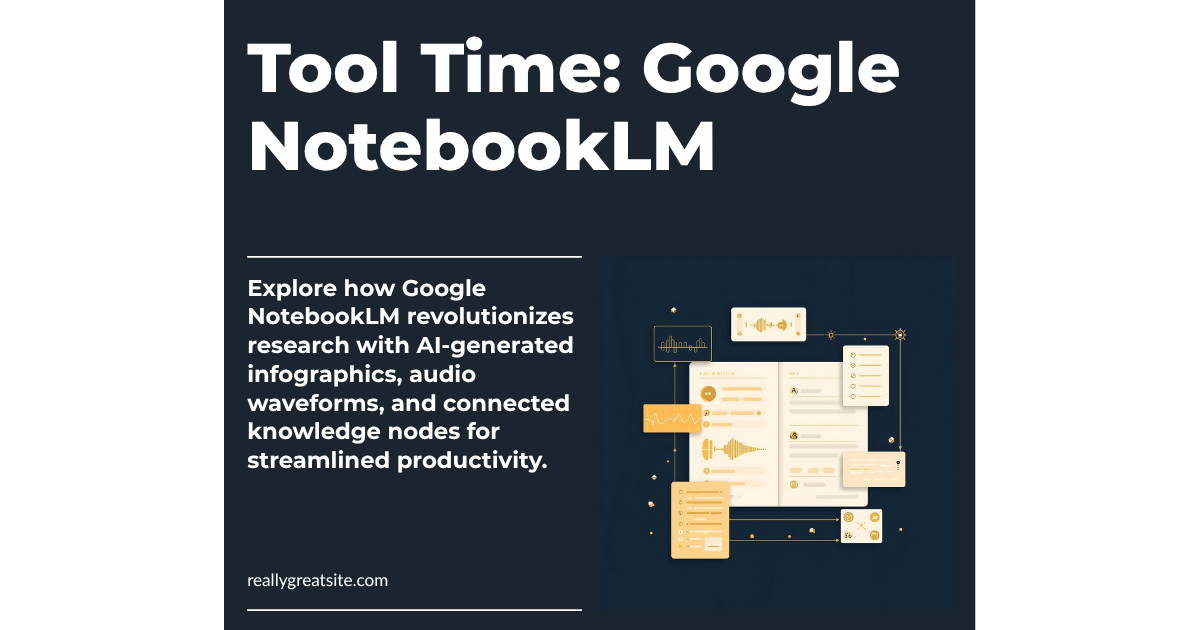
  • Tool Time: Google NotebookLM for Your Organization

    Tool Time: Google NotebookLM for Your Organization

    Tool Time — Wednesday, April 15, 2026

    Curated by Warren Wiggins | Created by Cousin Claude


    The Tool: Google NotebookLM — Your Free AI Research Partner

    If you haven’t looked at Google NotebookLM lately, it’s time for a second look. NotebookLM is a free AI-powered research and knowledge management tool that lets you upload documents, websites, and files — then ask questions, generate summaries, create presentations, and even produce audio and video overviews from your own content. Think of it as having a research assistant who’s read everything you’ve given it and can instantly synthesize what matters.

    Google just rolled out major updates in March 2026: Cinematic Video Overviews that turn your research into animated explainer videos, ten new infographic styles (including Professional, Editorial, and Instructional), improved flashcards and quizzes with saved progress, and slide revision tools. The free tier gives you up to 100 notebooks with 500,000 words per notebook — that’s a massive amount of content to work with.


    Who It’s For

    Nonprofits

    Grant writers, this one’s for you. Upload your program data, past proposals, and funder guidelines into a notebook, then ask NotebookLM to help you draft narrative sections, identify themes across your work, or summarize outcomes data. It’s also powerful for board prep — upload your strategic plan, financials, and committee reports, then generate a briefing document or audio overview your board members can listen to before the meeting. And here’s the best part: NotebookLM is now included free in Google Workspace for Nonprofits for up to 2,000 users with enterprise-grade data protections.

    Small Businesses

    Upload your customer research, competitor analysis, or industry reports and let NotebookLM find the patterns you’re missing. Use the new infographic feature to create visual summaries for client presentations. The audio overview feature can turn a dense market report into a 10-minute podcast-style briefing you can listen to during your commute.

    Schools

    Teachers can upload curriculum standards, lesson plans, and student resources to create study guides, flashcards, and quizzes — all grounded in their actual teaching materials. Administrators can use it for policy research, accreditation prep, or synthesizing parent survey data. NotebookLM is now available as a core service for Google Workspace for Education, so your school may already have access.


    How To Get Started

    1. Go to notebooklm.google.com and sign in with your Google account (personal, Workspace, or Education).
    2. Create a new notebook. Give it a clear name — “Q3 Grant Research,” “Board Meeting April,” or “Competitor Analysis 2026.”
    3. Add your sources. Upload PDFs, paste website URLs, connect Google Docs or Slides, or paste text directly. You can add up to 50 sources per notebook.
    4. Start asking questions. Type natural-language questions in the chat: “What are the key themes across these grant reports?” or “Summarize the budget implications in this policy document.”
    5. Generate an Audio Overview. Click the “Audio Overview” button to create a podcast-style conversation between two AI hosts who discuss your content. Great for absorbing material during a commute or walk.
    6. Try the new visual tools. Use the “Generate” menu to create infographics, slides, or study materials from your sources. Choose from styles like Professional, Editorial, or Instructional.
    7. Create study tools. Generate flashcards or quizzes from your content — useful for staff training, onboarding materials, or student review.
    8. Share and collaborate. Notebooks can be shared with teammates (on Workspace plans), so your whole team can query the same knowledge base.

    Cousin’s Take

    NotebookLM is one of the most underrated free tools available to mission-driven organizations right now. It’s not trying to replace your expertise — it’s trying to make your expertise more accessible and actionable. The fact that it works only with content you provide (rather than pulling from the open internet) means the answers are grounded in your actual data, not hallucinated from somewhere else.

    The recent updates make it significantly more useful. Cinematic Video Overviews are genuinely impressive for turning complex research into shareable content. The infographic styles save real time if you need to visualize information for stakeholders. And the enterprise-grade privacy protections mean you can upload sensitive organizational data without worrying about it being used to train AI models.

    The catch? It’s still a Google product, so it works best within the Google ecosystem. If your organization lives in Microsoft 365, the integration won’t be as smooth. And while the free tier is generous, power users who need more than 100 notebooks will need NotebookLM Plus. But for most organizations, the free tier is more than enough to get serious value.

    Bottom line: If you have a Google account, you should have a NotebookLM notebook. Start with one project this week and see what happens.


    Until Friday…

    That’s your Tool Time for the week. NotebookLM won’t do the work for you, but it will make your work smarter. Try it with your next grant proposal, board meeting, or research project — and let me know how it goes.

    Want a practical framework for evaluating AI tools for your organization? Download “The Mission-Driven Org AI Audit” — a free guide to assessment, implementation, and measuring impact.


    Cousin’s AI Circulation — Published 3x/week (Monday, Wednesday, Friday)

    Curated by Warren Wiggins | Created by Cousin Claude

    Astute Intelligence: Do More of What Matters.

  • OpenAI Says AI Should Mean a 4-Day Work Week

    OpenAI Says AI Should Mean a 4-Day Work Week

    The Week Ahead — Monday, April 13, 2026

    Curated by Warren Wiggins | Created by Cousin Claude


    The Big Story: OpenAI Says AI Should Mean a 4-Day Work Week — With No Pay Cut

    OpenAI dropped a major policy document last week called “Industrial Policy for the Intelligence Age,” and it’s worth your attention. The proposal argues that as AI drives productivity gains across the economy, workers should benefit directly — starting with a transition to a 32-hour, four-day work week with no loss in pay. OpenAI is urging governments and employers to run time-bound pilots to prove it works.

    But it doesn’t stop there. The document also proposes a Public Wealth Fund that would give Americans an automatic stake in AI companies and infrastructure, with returns distributed directly to citizens. And yes, they floated a “robot tax” — shifting the tax burden from labor to capital, so that when AI replaces a human worker, the tax revenue doesn’t just disappear.

    The framework centers on three goals: distribute AI-driven prosperity broadly, build safeguards against systemic risk, and ensure widespread access to AI so economic power doesn’t concentrate in a few hands.

    Cousin’s Take

    This is the biggest AI company in the world saying out loud what a lot of us have been thinking: if AI makes organizations more productive, the people doing the work should see the benefit. For nonprofits and small businesses already running lean, the real question isn’t “will we get a 4-day week?” — it’s “are we capturing the productivity gains AI can deliver right now?” That’s the conversation worth having at your next leadership meeting.


    Story #2: 1 in 5 U.S. Workers Say AI Has Already Replaced Part of Their Job

    A new survey from Epoch AI and Ipsos, released this month, found that AI has replaced existing tasks for 20% of full-time U.S. workers. At the same time, AI created new tasks for 15% of employees who used it in the prior week. Half of all U.S. adults now report using AI tools weekly.

    Nicholas Miailhe of the Global Partnership on Artificial Intelligence called it a wake-up signal, noting that labor market restructuring is happening in real time. The data suggests replacement is outpacing augmentation — at least for now.

    Cousin’s Take

    If you lead an organization with staff, this matters. It’s not about replacing your team — it’s about being intentional. Which tasks should AI handle so your people can focus on the work only humans can do? Have that conversation now, not after the restructuring happens to you.


    Story #3: Boston Becomes First Major City to Launch AI Literacy in Public Schools

    Boston Public Schools announced a $1 million public-private partnership to make AI proficiency a goal for every high school graduate. Backed by tech entrepreneur Paul English and developed with UMass Boston’s AI Institute, the program launches in 20 high schools this September and will expand districtwide.

    The curriculum includes teacher training, student hackathons, internships, and career pathways — all designed to ensure Boston students graduate understanding how to use AI critically and responsibly.

    Cousin’s Take

    This is what proactive looks like. Whether you run a school, serve youth, or employ young people, pay attention. The students coming out of programs like this will have expectations about AI in the workplace. Is your organization ready for them?


    Practical Tip of the Week

    Check If You Qualify for Free AI Through Google for Nonprofits. If your organization has a Google Workspace for Nonprofits account, you may already have access to free Gemini AI features — including the Gemini app, Gemini for Workspace (AI in Gmail, Docs, Sheets), and NotebookLM. These are available at no cost for up to 2,000 users with enterprise-grade privacy protections. Log into your Google Admin console and check your current plan. If you’re not on Google Workspace for Nonprofits yet, apply at google.com/nonprofits.


    By The Numbers

    • 20% of U.S. full-time workers say AI has replaced existing tasks in their job — Epoch AI/Ipsos
    • $242 billion in venture capital poured into AI companies in Q1 2026 — roughly 80% of all global venture funding — Morgan Stanley
    • 92% of nonprofits have adopted AI, but only 7% say it’s expanded what their team can accomplish — Virtuous

    Until Wednesday…

    That’s your Week Ahead, family. The headlines are big this week, but the real story is what’s happening inside organizations like yours. AI isn’t waiting for anyone to be ready — but getting ready doesn’t have to be overwhelming. Start with one conversation, one tool, one small experiment.

    If you’re wondering how to get your organization AI-ready without the overwhelm, let’s talk. Book a free 20-minute strategy session with Warren — no pitch, just practical insights for your context.


    Cousin’s AI Circulation — Published 3x/week (Monday, Wednesday, Friday)
    Curated by Warren Wiggins | Created by Cousin Claude
    Astute Intelligence: Do More of What Matters.